
Care, housing and finance. Working from one record.

Run behavioral health and recovery housing programs with clinical care, billing, nonprofit finance and staff working from the same records.

Encore OS is live in production. Walkthroughs use sample data, not patient records.

Your questions. The work behind each answer.

Choose a workflow to see it in Encore OS. Each video uses sample data, with narration, on-screen captions and a text transcript.

How many beds are open tonight, across every house and unit?

One bed board covers recovery residences, residential treatment facilities and inpatient units.

Bed board
82-second walkthrough · Sample data
What the video shows
  1. What the module covers. Every part of running a recovery residence, in one module.
  2. Bed board. One bed board across houses, residential facilities and inpatient units. Filter by status to see which beds are open right now.
  3. Program phases. Set the phases residents move through, from stabilization to transition. Each phase has its own length, and the total adds up.
  4. Passes and drug tests. Record drug tests and filter by result or random selection. Random schedules pick who gets tested, or run a draw now.
  5. Grievances. Review, assign and resolve every resident grievance. Record how each grievance was resolved when you close it.
  6. Discharge planning. Plan each move-out with a checklist that tracks readiness. Send outside referrals and track the status of each one.
  7. Compliance and inspections. See recurring requirements and the deadlines coming up for each house. Schedule house audits and fire inspections, and track every finding.


Will this claim pass the payer’s edits before we send it?

Each claim is checked against your organization’s and each payer’s edit rules before submission.

Claim checks
82-second walkthrough · Sample data
What the video shows
  1. What the module covers. From the first visit to the last payment, in one module.
  2. Appointments. Book the visit against the provider's schedule. It lands on the calendar as soon as it is saved.
  3. Coverage and eligibility. Find coverage for self-pay clients and check their eligibility. Accept the coverage, and the insurance policy is created for you.
  4. Good faith estimates. Price a good faith estimate from your self-pay fee schedule. Record when the estimate is delivered to the patient.
  5. Sliding fee discounts. Record household size and income, and the discount tier is set. Once approved, the discount is applied as each charge is created.
  6. Bed-day charges. Each day of a stay creates its own bed-day charges. Review and approve them with the rest of your charges.
  7. Claim scrubbing. Choose which checks stop a claim, for you and each payer. Run the scrub to catch errors before a claim goes out.

Where is each grant against its budget?

Grant budget-versus-actual reports run from a general ledger with a fund structure.

Grant budgets
80-second walkthrough · Sample data
What the video shows
  1. What the module covers. Ten finance areas, on one ledger.
  2. Ledger and funds. A fund-based general ledger for nonprofit (ASC 958) reporting. Tag each journal line to a fund, and post once it balances.
  3. Corporate cards. Ramp corporate card transactions sync into Encore OS. Code each charge for the ledger as you review it.
  4. Payables. Vendor bills move from draft to approval to payment. Approving a bill posts it to the general ledger.
  5. Bank feeds and matching. Bank accounts connect through Plaid and sync their transactions. Import a statement and review how it matches the ledger.
  6. Grants and budgets. Compare each grant's budget with what it has actually spent. The grant compliance report flags each line that runs over budget.

More of the questions that keep work moving

Which crisis screenings have waited longer than two hours?

Alerts raised from intake screening answers land in a tiered queue, and a dashboard measures each screening against a two-hour target.

Crisis alerts
Whose license or fingerprint clearance card runs out this month?

Track staff licenses, credentials, Arizona fingerprint clearance cards and clinical supervision records in one place.

Staff credentials
Who still hasn’t acknowledged the new policy?

Policies and procedures go out from one place, and each staff member’s acknowledgment is tracked.

Policy acknowledgments

Safeguards for records, rules and AI

Protection follows the record

Information copied from a protected substance-use record keeps its protection. Part 2 consent is captured with redisclosure tracking, and access checks limit how protected information appears in reports. Encore OS is designed toward HIPAA and 42 CFR Part 2 safeguards.

Arizona billing rules, set once

Arizona (AHCCCS) rules sit in one settings profile, so a change is made once instead of in custom code. On the roadmap: jurisdiction profiles for more states.

Clinician review before signing

The clinician attests to each AI-drafted treatment plan before signing. Drafting starts only after your organization posts a notice about the AI model, and a patient can opt out.

Review the safeguards

Bring your programs. We’ll walk through the work.

Tell us which programs you run and what you use today. We’ll plan the walkthrough around your organization.

  1. Someone from the Encore OS team replies by email to arrange a time.
  2. We walk through the parts of Encore OS that match the programs you run, on sample data, not patient records.
  3. If Encore OS fits, we talk through pricing for your organization.
How pricing works

Built by people who ran the programs

Encore OS’s co-founders came to software from running clinical programs, recovery housing and the operations behind them.

  • Oliver Nielsen

    Chief executive officer

  • Jeremy Bloom

    Co-founder

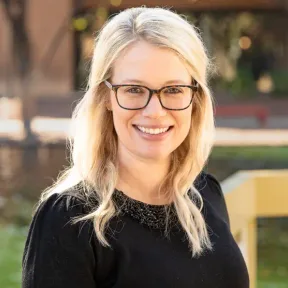
  • Brittany Pierce

    Co-founder and clinical advisor

Meet the team